 Skip to content
This help page demonstrates step wise instructions to create a new performance appraisal forms to map your existing performance review process.
Note: The steps mentioned below are of Empxtrack Enterprise product.
To create a new performance appraisal form, you need to:
● Log into the system as an HR Manager or Administrator.
● Click on Product configurations.
● In the Performance Management section, click on the Appraisal plans link. The Appraisal Plans page appears.

● Click View icon to open the appraisal plan that you want configure. Let’s click View icon for Corrective Action Plan.
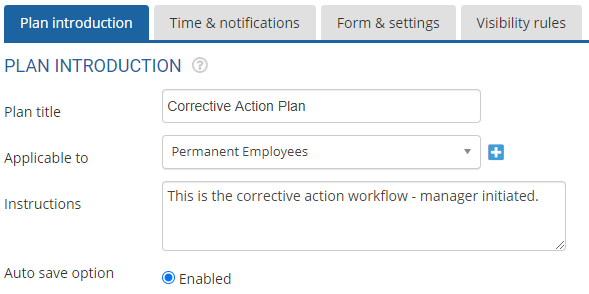
● Click on the Form & Settings tab. You can view already existing appraisal forms in the section.
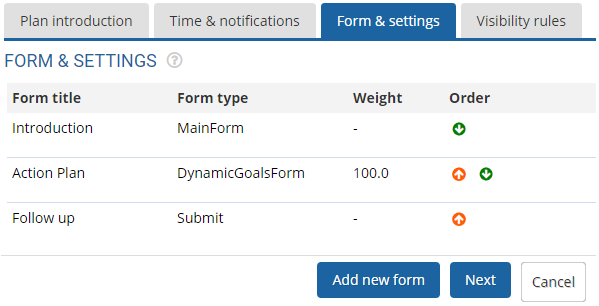
● Click on the Add new form button. A new page appears where you can select the form.

● Select the new form type from the Template dropdown and then provide name of the form in the Title field.
● Select copy visibility rules from an existing form checkbox if you want to copy visibility rules from an existing form. Then select any one of the existing forms in the dropdown.
● Click Save. The new appraisal form (i.e. Feedback form) is successfully added to the appraisal plan and can be seen in the list of forms.

● Once a new performance appraisal form is created, you can now configure the newly added form by following the steps shown in Select Performance Appraisal Forms and Assign Weights.
Note: Additional forms can be added to an appraisal plan even after appraisal has been initiated for an employee. The workflow state of the existing appraisal is changed as Set Aside before adding and initiating another appraisal plan.
If you don’t want to allow initiation of another appraisal plan when the prior appraisal exists, then select the checkbox labelled as Uncheck to allow initiation of another appraisal when a prior (non signed off) appraisal with the plan name and time period exists on the Time & Notification tab as shown in Setup Performance Appraisal Timelines and Notifications
Suggested Links
- Setup Performance Appraisal Plans
- Initiate Appraisal
- Change Appraisal State
- Configure Performance Potential Settings
- Appraisal-Employee Access
- Manage Team Appraisal – Filter Records
- Print Appraisal
- Manager Appraisal Dashboard
- Create a new Rating Scale





