 Skip to content
Empxtrack offers the functionality to setup roles and groups to define important roles in the organization, such as CEO (Chief Executive Officer), HOD (Head of Department), and HR Manager/ HR Admin. An employee may have more than one role in the organization, or one role can be assigned to multiple employees.
Note: The steps mentioned below are of Empxtrack Enterprise product.
To setup roles, you need to:
● Log in as Administrator. Under Advanced Accounts Settings, click Setup Roles link.
● Click Add new role to setup a new role in the system.
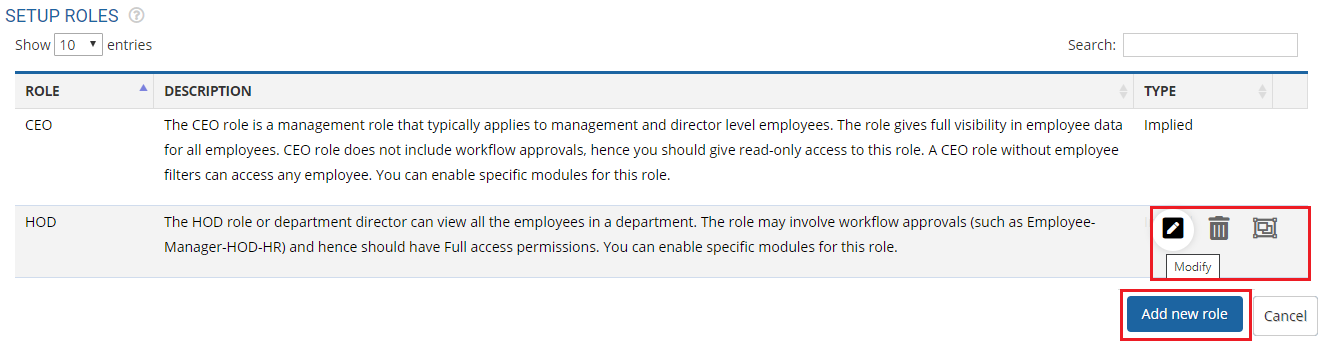
● Select the preferred option for Type of role. Choose Relationship for the new relationship role. Select Implied radio button if implied roles are setup using the Setup group functionality.
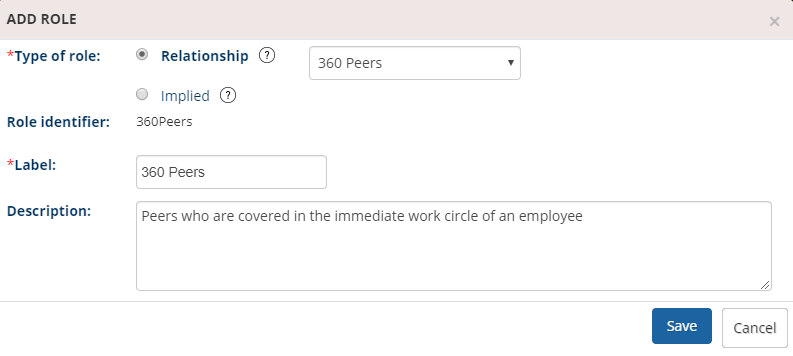
● Input the name of the label andProvide a description to define the role.
● Click Save button.
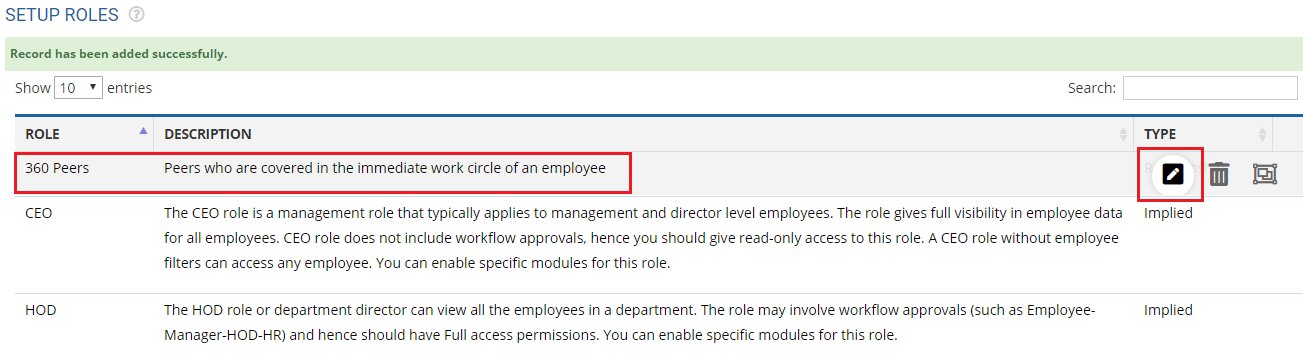
● The new role is added successfully and a message suggesting the same appears on the screen.
● Once the new role shows in the list, you can modify or copy access permissions whenever needed.
Learn more about Empxtrack HRIS
Suggested Links
- Setup Password Policy
- Send Password to Employees
- Forget Password
- Reset Password
- Setup, View and Edit Email Templates
- Navigation in Empxtrack
- Multiple Upgrade Options in Empxtrack
- Setup Global Groups
- Setup Access Controls
- Manage Workflows
- Setup Skills and Competencies
- Setup Company Information
- Time Settings
- Upload Employee Data
- Upload Reporting Relationship Data
- Setup HR Admin
- Masquerade as another employee
- File Validation Utility
- Open CSV File
- Save CSV File
- Advanced Search





