 Skip to content
Empxtrack allows configuration for setup of skills and competencies to be associated with a job description. Employees are evaluated based on these skills and competencies.
Note: The steps mentioned below to setup skills and competencies are of Empxtrack Enterprise product.
Add New Skills
Skills are associated with a description and a rating. In the Job Description management, you can associate desired ratings for each skill while defining a job description and then compare it to candidates and existing employees to identify skills gaps.
To add a new skill, you need to:
● Login to the system as an HR manager or Admin.
● Click on Product configurations. In the Setup masters section, click the Setup skills link.
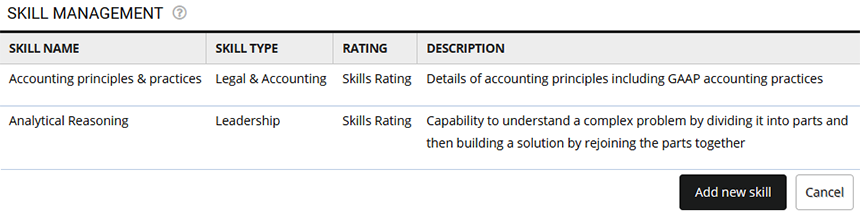
● Click Add new skill.
● Input Skill Name, Skill type, Rating and Description.
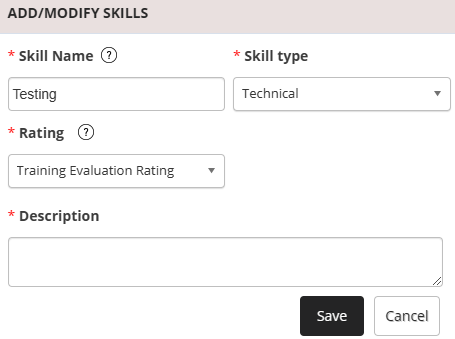
● Click the Save. The new skill is successfully added to the existing list.
Manage Skills
● Follow the steps 1 and 2.
● To modify the skill details, click the Edit icon.
● Each skill has additional attributes associated with it such as Development Statements, Coaching Tips etc. Click each of the icons to add or modify the section. These are available to the manager and employees and can be extremely useful in employee development activities.

Add New Competency
● Login to the system as an HR manager or HR Admin.
● Click on the Product configurations tab. In the Setup masters section and click the Setup competencies link.
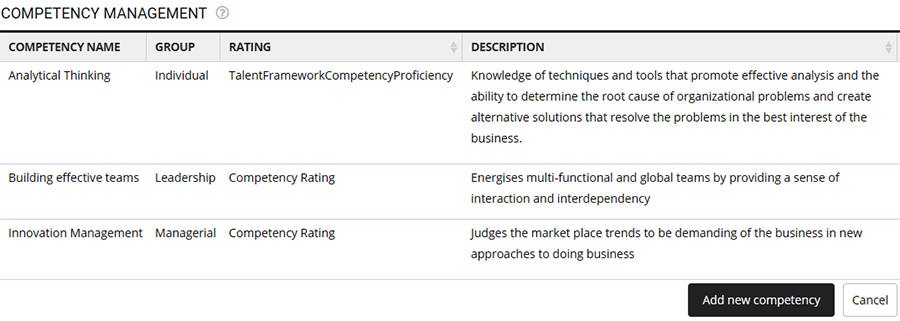
● Click Add new competency
● Input Competency Name, Group, Rating and Description. Click Save.
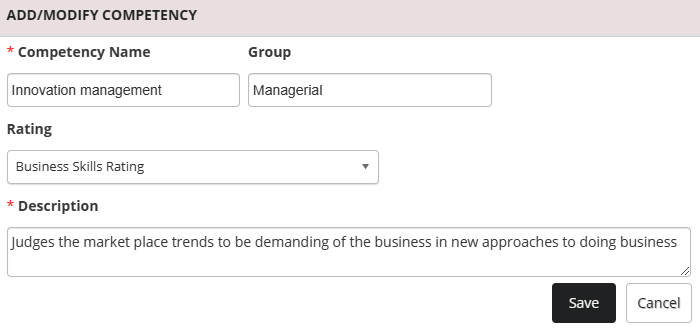
The newly added competency gets added to the existing list.
Manage Competencies
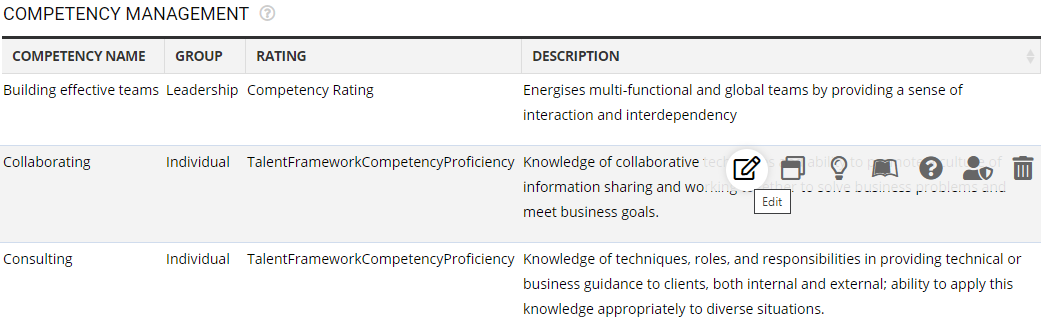
● On the competency management page, click the Edit icon for any of the available competencies and modify the details.
Suggested Links
- Setup Password Policy
- Send Password to Employees
- Forget Password
- Reset Password
- Setup, View and Edit Email Templates
- Navigation in Empxtrack
- Multiple Upgrade Options in Empxtrack
- Setup Global Groups
- Setup Access Controls
- Manage Workflows
- Setup Company Information
- Time Settings
- Upload Employee Data
- Upload Reporting Relationship Data
- Setup HR Admin
- Setup Roles
- Masquerade as another employee
- File Validation Utility
- Open CSV File
- Save CSV File
- Advanced Search





