 Skip to content
A manager can print an appraisal of their team members.
Note: The steps mentioned below are of Empxtrack Enterprise product.
To print an appraisal, you need to:
● Login to the system as a Manager.
● From the Role and Features menu , click on Appraisals. The page appears that displays appraisal of your team members. You can modify the employee data by changing the Time period, Group, etc. To do that, follow the steps given on Manage team appraisal page.
● Select the checkbox corresponding to the names of the employees whose appraisal you wish to print.
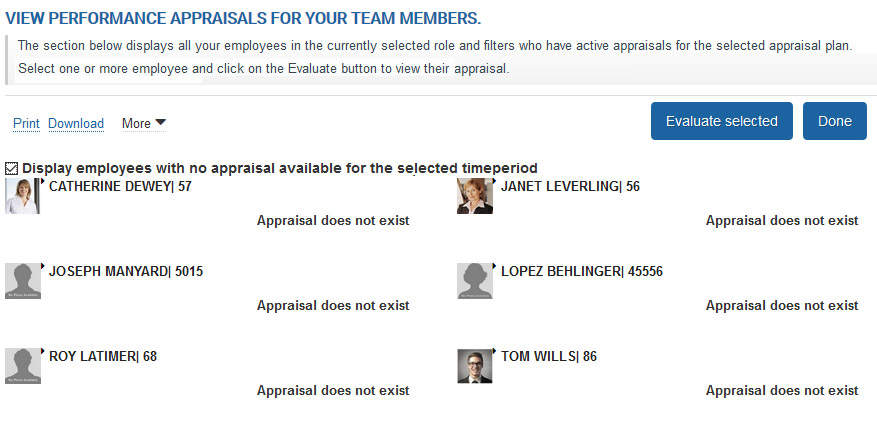
● Click the Print link. A dialog box will appear. Select forms from the dropdown and select the View all employee details checkbox.

● You can also download the appraisals by clicking on the Download link.
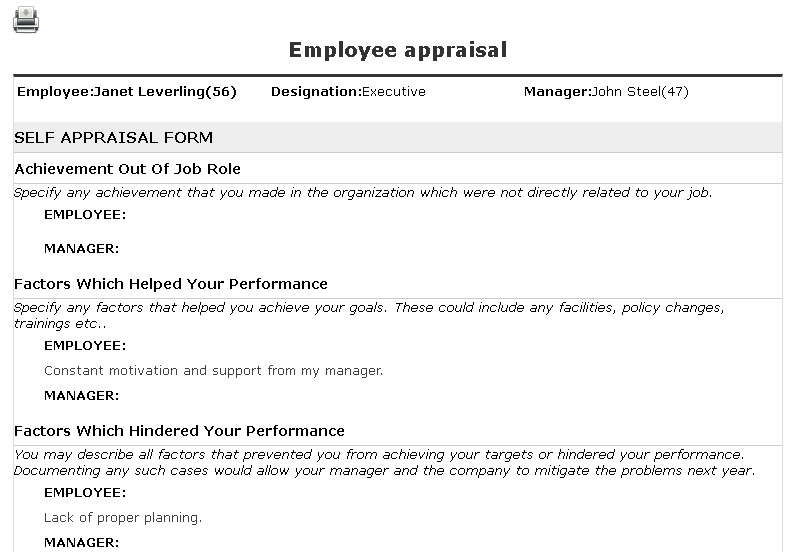
● The appraisal appears in printable format in a new window. The window displays PDF and Print icons at the top of the page.
● Click the Print icon to print the Appraisal. You can click on the PDF icon to download the appraisal in PDF format.
Learn more about Empxtrack Performance Appraisal
Suggested Links
- Setup Performance Appraisal Plans
- Initiate Appraisal
- Change Appraisal State
- Configure Performance Potential Settings
- Appraisal-Employee Access
- Manage Team Appraisal – Filter Records
- Manager Appraisal Dashboard
- Create a new Rating Scale





