 Skip to content
This help page displays the steps to accept the exit request. Rejection or acceptance of the exit request depends upon the exit workflow used in the company. An exit request can be raised by an employee, manager, or HR manager, and then it goes through the approval process.
When the HR manager raises the exit request and is also the designated approver, the request is directly approved. This help page demonstrates step by step instructions to approve an exit request received from an employee or manager.
To approve the exit request sent by Employee or Manager, follow these steps:
● Log into the system as an HR manager.
● Go to the Message Center and click the View icon against the message.

● The Capture Resignation page appears with the details of the exiting employee, along with resignation and last working dates. Click the Accept button to accept the exit request.
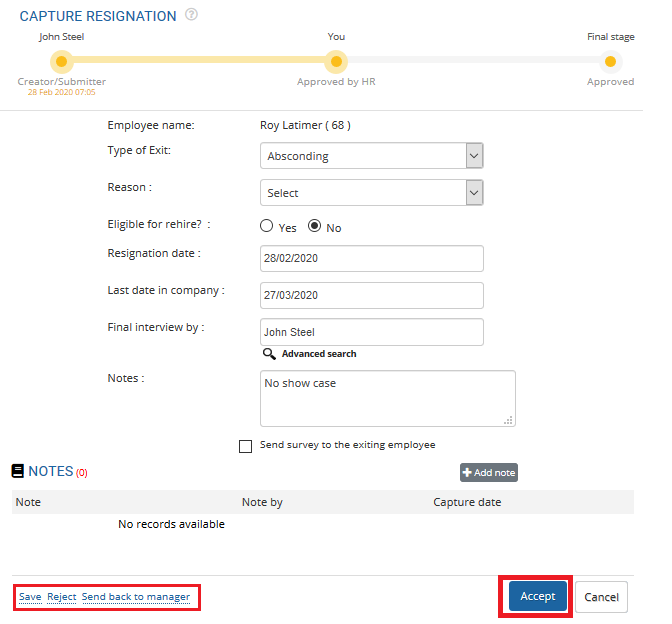
● The HR manager can even reject or send back the exit request to the employee/manager by clicking on the Reject or Send back to manager links.
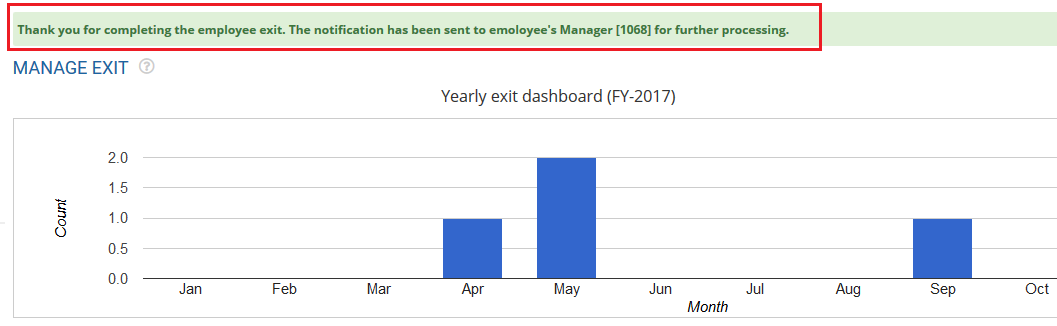
Once the action is performed (Accept/ Reject/ send back to manager), the employee or manager receives the notification regarding the status of the exit request. A message suggesting the same appears on top of the image.
Learn more about Empxtrack Exit Management
Suggested Links





