 Skip to content
Upload a photograph in the employee profile in just a few clicks.
Note: The steps mentioned below are of Empxtrack Enterprise product.
To upload photograph, you need to:
● Log into the system as Employee/ Manager/ HR Manager. First follow the path given on the Edit employee details page to login to the system as a specific user role and open the employee profile page.
Note: Icon based menu is available only in Empxtrack Enterprise product.
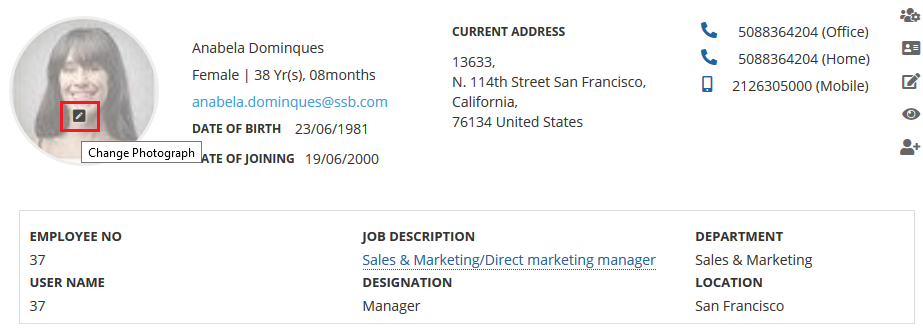
● On the employee profile page, hover the mouse over the photograph. A Change photograph icon appears on the image. Now click the icon1.
● A dialog box Upload Photograph appears. Click on the Browse button to browse the suitable photograph and then click Upload.
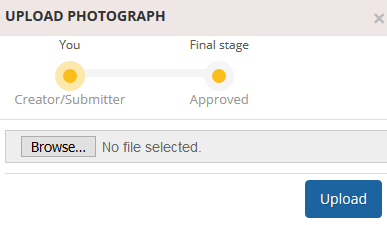
● The photograph will be updated after it is approved by the HR Manager, as per the workflow configured.
Related Links
- Employee Basic Details
- Photograph
- Employment Details
- Other Details, Hobbies and Languages known
- Address Details
- Dependent Details
- Beneficiaries
- Confidential IDs
Suggested Links





