 Skip to content
A salary structure comprises of multiple heads, like Basic, HRA, Special Allowance, PF, Conveyance Allowance and more. An employer may require to add more heads. This help page explains how to add salary heads to a salary structure.
To add new heads to an existing salary structure, you need to:
● Log into the system as an HR Manager.
● On the Dashboards page, go to Role and features menu  and click Payroll.

● Payroll dashboard page appears on the screen where you can see the Payroll options (on the left). Click on the Setup salaries for employees.
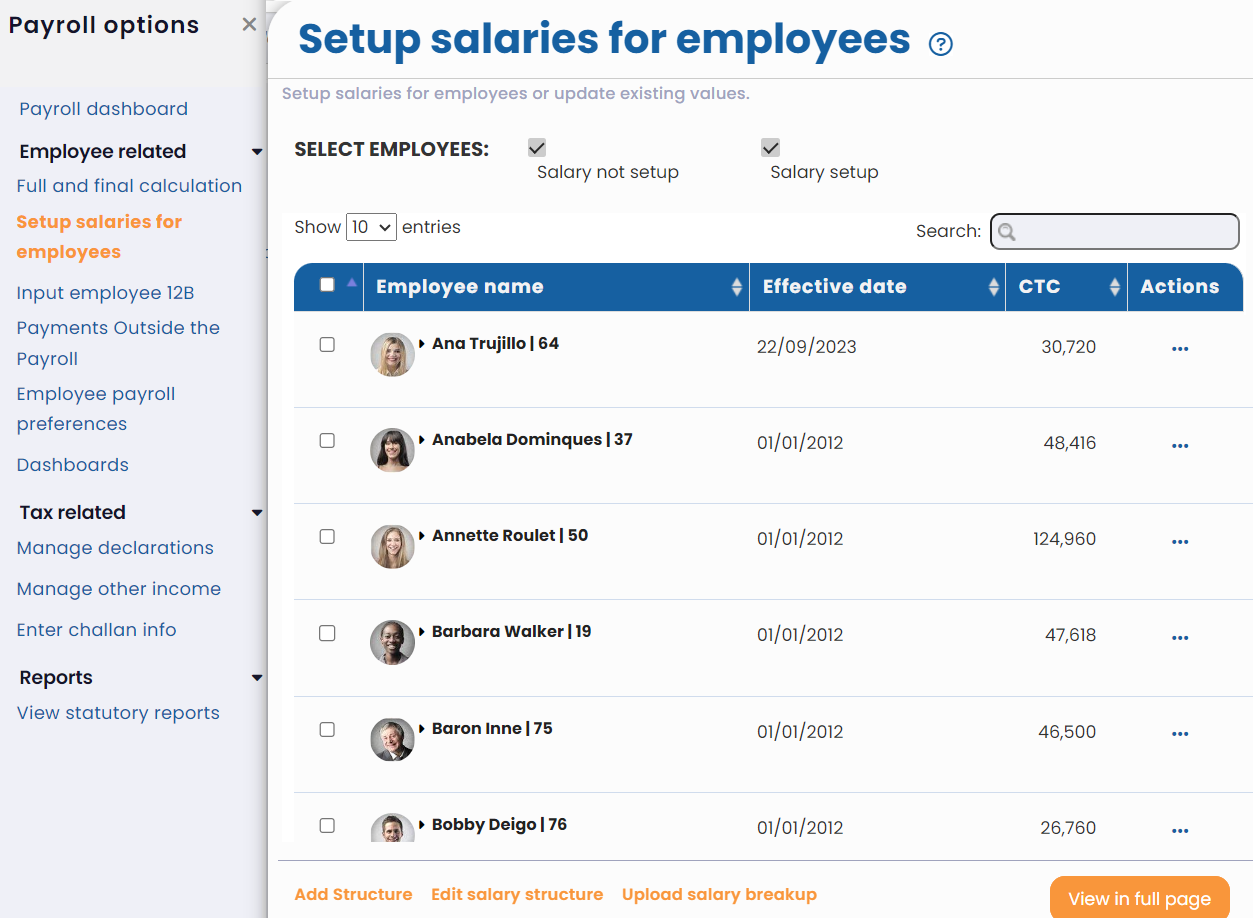
● Scroll down to the bottom of the page and click Edit salary structure.
● A list of salary structures available in the system is given in the Select salary structure dropdown. Select the preferred one. Click Edit.

● Edit salary structure page appears. Click Add Heads to add a new salary head. Provide a Label and select the checkboxes if this salary head is eligible for ESI, PF, PT and Leave encashment. Then click Add.
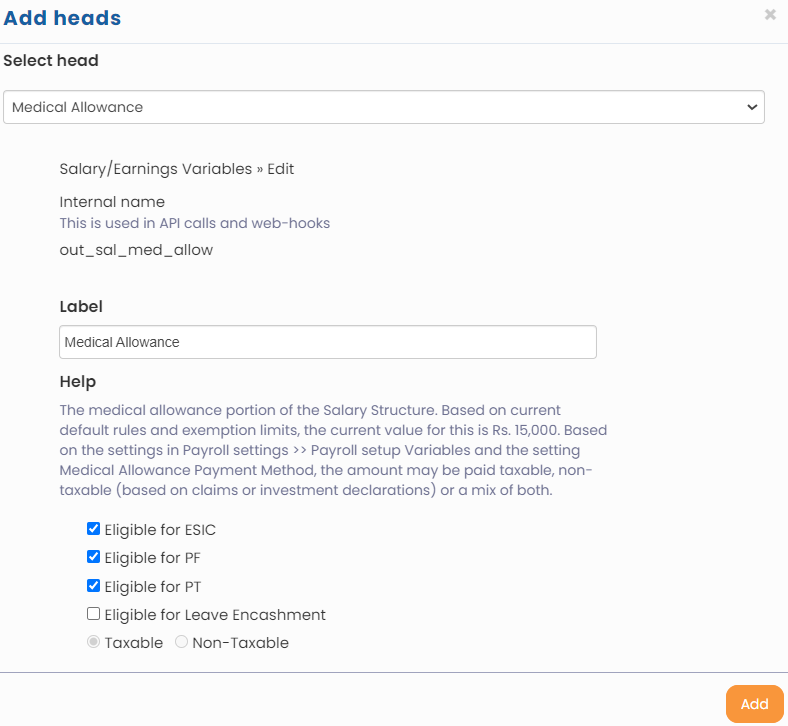
● The selected head is successfully added to the salary structure. Click Confirm. The salary structure with new salary heads is updated successfully.
● Now you need to reassign it to employees so that the new salary heads can be seen by the employees.
Suggested Links
- Payroll Configurations
- Setup Payroll Variables
- Setup Variables for Payroll Reports
- Setup Salary Structures
- Assign a Salary Structure to Employees
- Upload Salary Structure
- Upload Past Salaries for Employee
- Download Employee Salaries
- Setup Investment Declaration
- Configure Company Settings for Payroll
- Design Pay Slip
- Setup Claim Variables





