 Skip to content
Empxtrack offers a maker checker functionality to verify the calculated salaries. Prepare and submit payroll for approval to the approver. Thus once the salary is calculated and the necessary adjustments are made, it is sent for approval.
Usually, an approver is a Director or CEO in a SME or startup. For large organizations, an approver can be the HR manager or HR director or any other person managing that role.
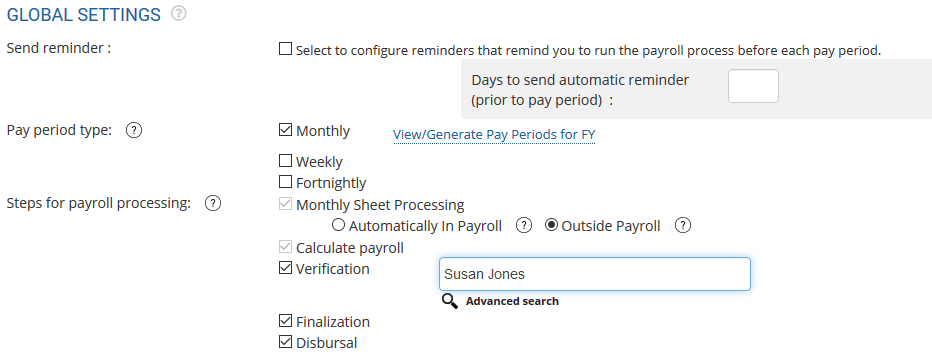
Note: Sending salaries for approval is an optional step and can be enabled/ disabled by the Payroll administrator/ HR manager/ HR Admin while configuring payroll. Refer to the page, configure payroll settings for more information. Select the checkbox given with Verification option in the Steps for payroll processing section. To get more configuration options, upgrade your Free Payroll and HR software to a paid version. Watch a short video on how to upgrade Empxtrack Free Payroll software in just a few clicks
The submit for approval link appears on Process Payroll: Step 2 page only when the approval of salaries is enabled in the payroll settings.
To send payroll for approval, you need to:
● First, initiate the payroll run. Click on Initiate Payroll and follow the steps.
● Then, calculate the payroll after payroll initiation.
● Select the employees whose salaries you want to send for approval on the Verification pending section under In Process tab.
● Click Submit.

● A confirmation message appears on the screen to confirm the submission of payroll for the selected candidates to the approver.
● Click OK.
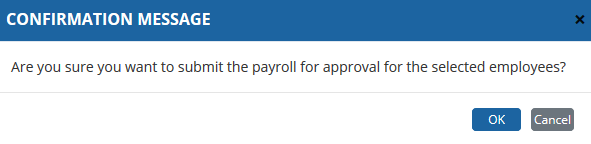
● The selected records are successfully sent to the approver. To know more about approving payroll, click Verify and Approve Payroll.
● The records sent for approval are now shown in the Not Finalized section. Once the payroll is approved, you need to view the finalized records and recalculate the payroll for employees whose salaries are not approved by the approver. To know more about finalizing the salaries, click Finalize Payroll.
Suggested Links
- Initiate Payroll
- Calculate Payroll
- Adjust Payroll
- Finalize Payroll
- Set Payment Mode
- Disburse Payroll
- Manage Challan Info
- Capture Multiple Challan
- Capture Challan TNS 281 Details
- Generate Form 24Q
- Add Acknowledgment Info
- Employee data verification and update
- Import number of days employee worked
- Update out of payroll payments
- Calculate deductions and set up disburse date
- Share payslips with employees
- View Payroll Reports
- View and download statutory reports and challans
- Setup and Upload Monthly Sheet
- Clear Payroll





