 Skip to content
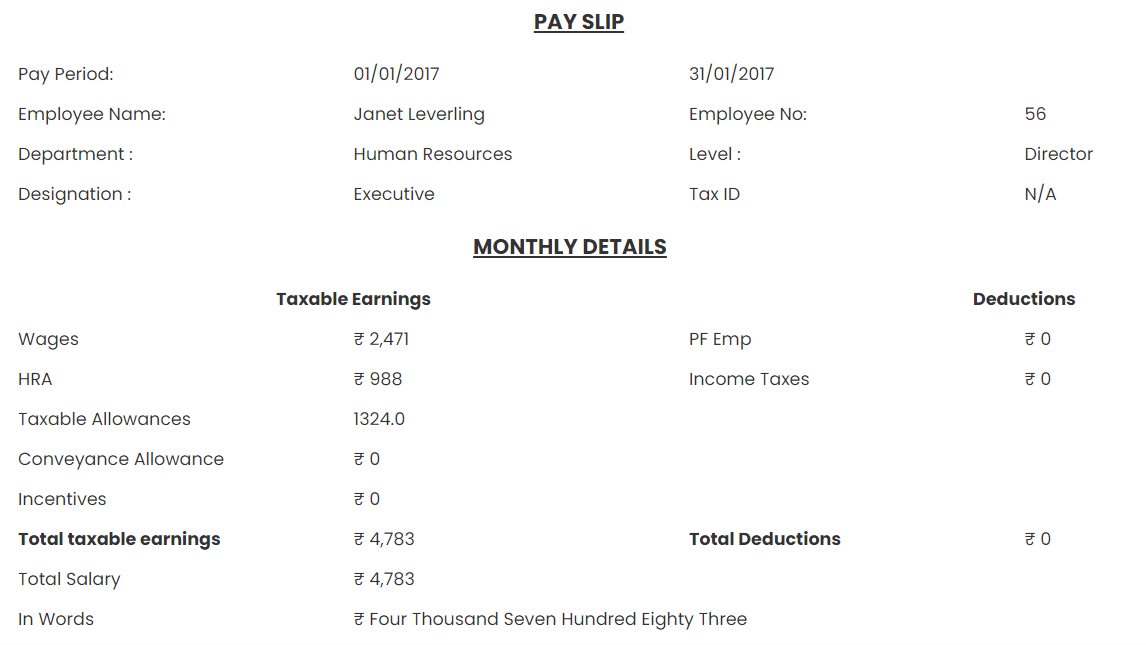
Empxtrack maintains a record of current and past salary details of employees. An employee can view salary slips for the current and past pay periods whenever required. Employees can download and view salary slips at any time, once the salary is disbursed. The salary slip provides details of all earnings and deductions from an employee’s income.
To view a pay slip and salary details, you need to:
● Log into the Empxtrack system as an Employee.
● On the Dashboards page, go to the Role and features menu and click on the Salary records link.

● Alternatively, type “salary records” in the Search bar and select the option ” View pay slips”.
● A new page appears, where employees can view salary details for multiple pay periods, pay slips, and the payment mode for disbursed salaries. The page also displays the total amount credited to your account as salary in the Total amount field and the date of credit in Credited on, along with your earnings and deductions in the Credit and Deductions fields and payment mode in the Paid via field.
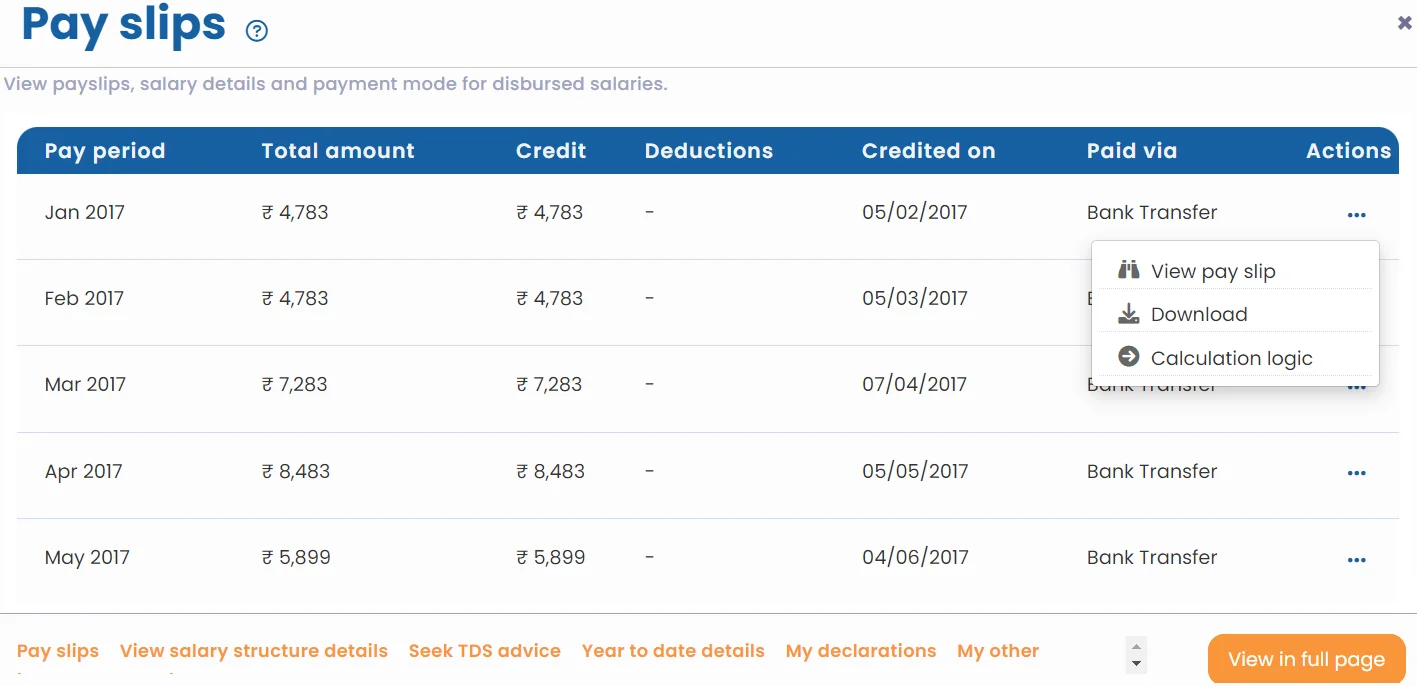
● Click View pay slip corresponding to any pay period. The pay slip appears.
● Click Download to download the pay slip, and click Calculation logic to find out the exact calculations for each salary head.
Note: Employees can also view salary slips for a previous year. Go to the Dashboard page and click Self services. Change the financial period from the Data Filter given at the top. Select a financial year for which you want to view a pay slip, then follow the steps mentioned above.
Suggested Links





