
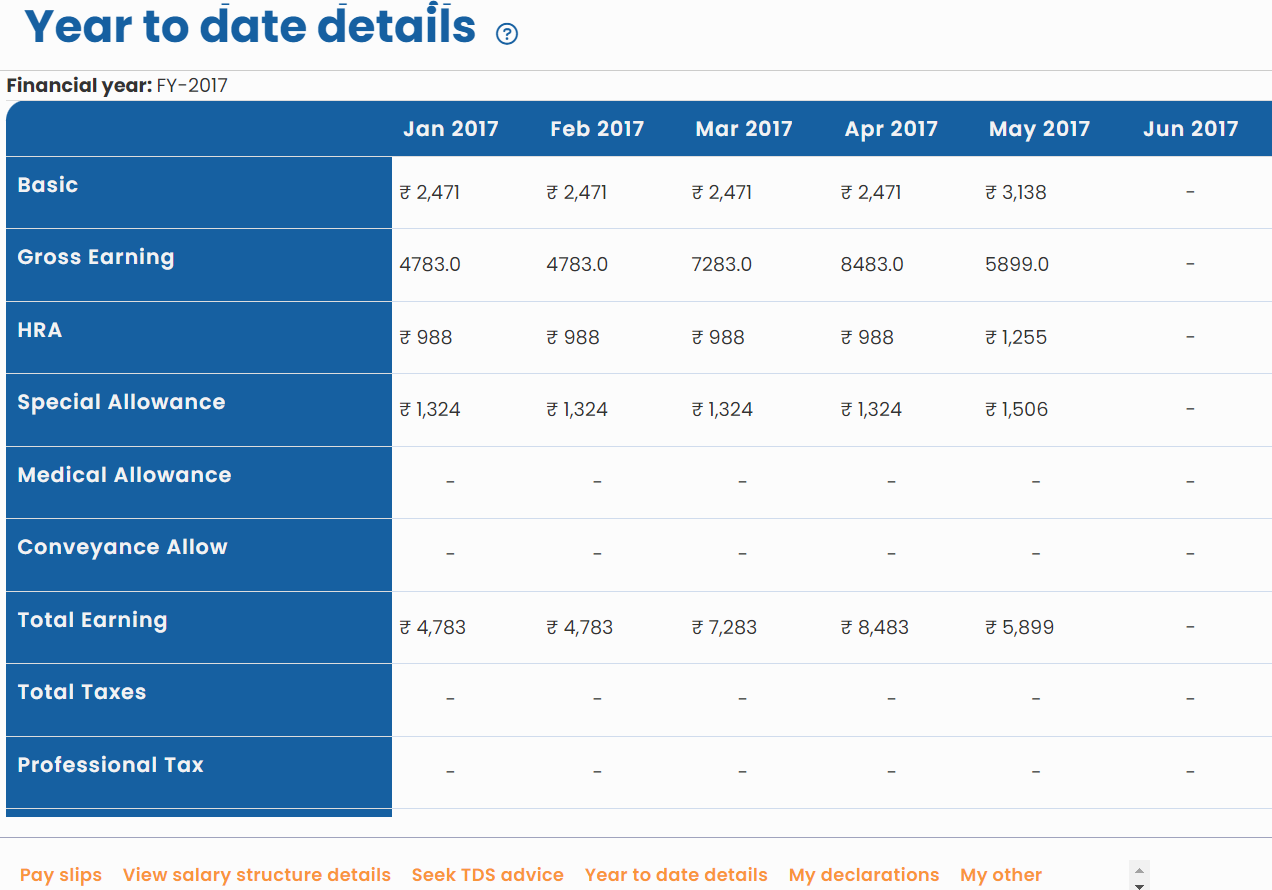
This help page shows steps to View Year to Date Details section that displays the total salary paid to an employee till date in a year. By default, the section shows salary details under various heads for the current year. An employee can do a salary-period wise comparison for gross, head break-up, deductions and net payments. Year to date details are available for salaries which have been disbursed.
To view Year to Date details, you need to:
● Log into the system as an Employee.
● On the Dashboards page, go to the Role and features menu  and click Salary records.

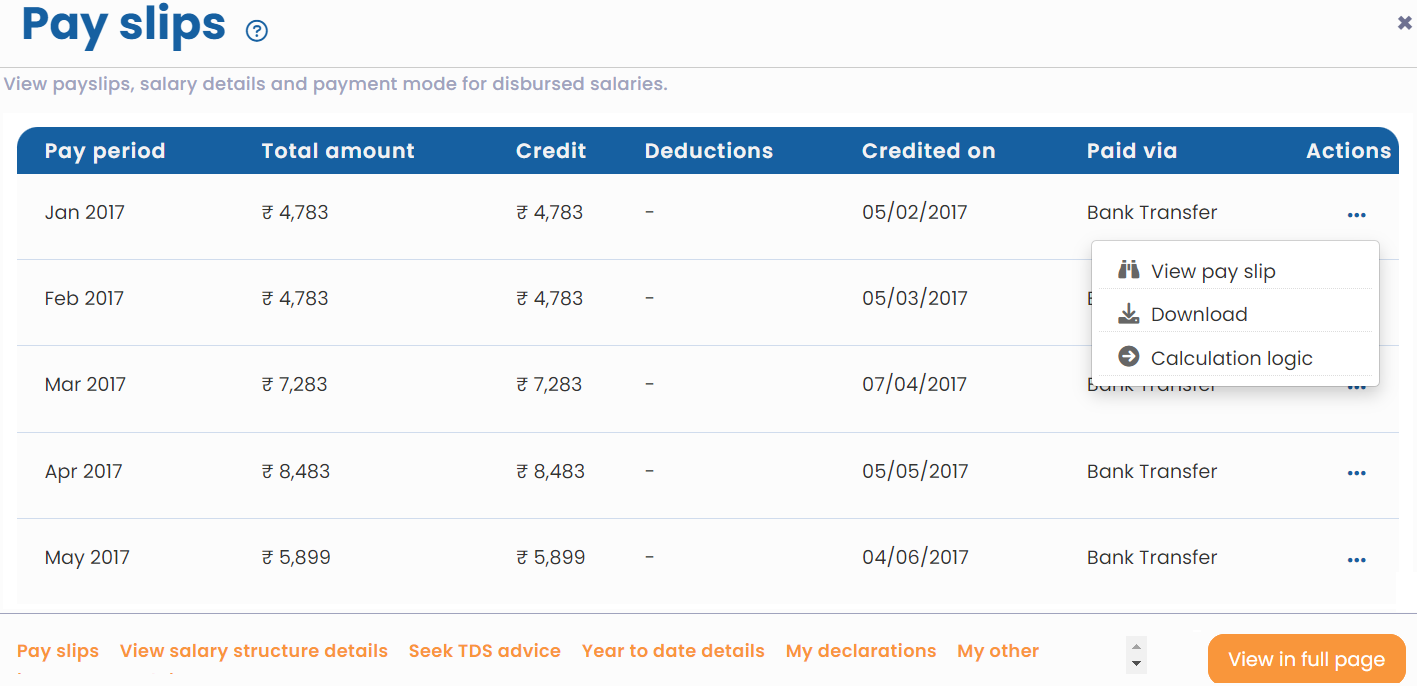
● A new page appears where employees can view salary details for multiple pay periods, pay slips, and payment mode for disbursed salaries.
● Click Year to date details. The page displays the amount paid to the employee under various salary heads for each pay period to date. Thus, the year to date details can be easily viewed.
● By default, year to date salary details for the current year are displayed.
Suggested Links





