
The competency form displays the competencies added to the form. This help page demonstrates steps to fill competency form to allow an employee to rate themselves and receive ratings from the manager on the defined competencies.
To fill the Competency form, you need to:
● Follow the steps given on Fill Appraisal Form.
● Click Competency Form.
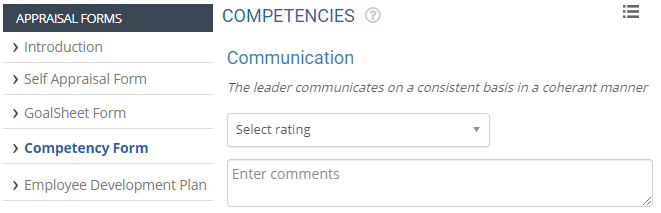
● The page allows you to rate yourself against multiple attributes. An employee can choose rating and provide their comments for each of the competencies available.
● Select the appropriate rating on which you rate yourself from the Select Rating dropdown.
● Provide your comments on the competency in the Comments textbox.

● Click Save to save the form after rating yourself on all the competencies. A message suggesting that the form is successfully saved appears on the screen.
● Click Next form to fill the next appraisal form.
Related Links
Suggested Links
- Setup Performance Appraisal Plans
- Initiate Appraisal
- Change Appraisal State
- Configure Performance Potential Settings
- Appraisal-Employee Access
- Manage Team Appraisal – Filter Records
- Print Appraisal
- Manager Appraisal Dashboard
- Create a new Rating Scale





