 Skip to content
Goalsheet form automatically imports all goals defined in the last signed off goal sheet for the employee (if configured to import) and displays them in this form. Employees are allowed to define goals in the goal sheet (if configured). Employees fill the Goals form to capture their achievements, ratings and comments. Employee comments help the manager to provide accurate and constructive feedback. Each goal has a weight, and the ratings will help determine the overall score of a goalsheet.
Note: Even if the appraisal is initiated, Empxtrack allows you to make changes to the goal sheet. The changes in goal sheet will not be shown in the form immediately. In this case, the appraisal needs to be re-initiated.
Watch a video on how to add employee goals during appraisal
To fill the Goals form, the user needs to:
● Follow the steps as given on the Fill Appraisal Form.
● Click the GoalSheet Form to view all goals and provide your ratings and comments.
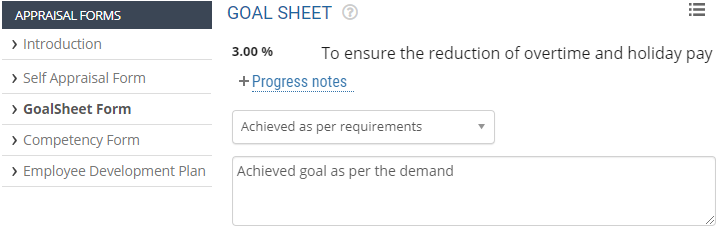
● For each goal, select the appropriate rating from the Select rating dropdown.
● Provide your comments for each goal in the Comment text field appearing against the goal.
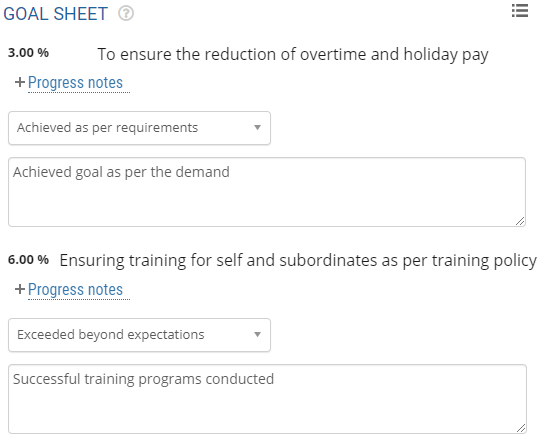
● Alternatively, if you don’t see any goals on the goals sheet and want to add one, click the Add a goal button. Then provide your ratings and comments for the goals.
Note: The Add a goal button will only be visible if the addition of goals by employees is permitted during the configuration of the goalsheet form.
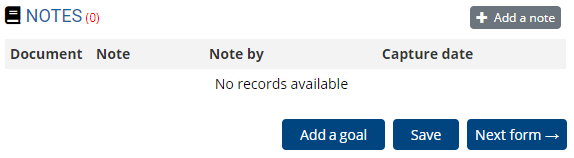
● You can add a note by clicking Add a note button.
● Click Save to save the form after rating yourself on all the goals. The goalsheet form is successfully saved and will be submitted with the appraisal.
● Click Next form to fill the next appraisal form.
Related Links
Suggested Links
- Setup Performance Appraisal Plans
- Initiate Appraisal
- Change Appraisal State
- Configure Performance Potential Settings
- Appraisal-Employee Access
- Manage Team Appraisal – Filter Records
- Print Appraisal
- Manager Appraisal Dashboard
- Create a new Rating Scale





