 Skip to content
Self-appraisal form encourages employees to evaluate and appraise themselves.
The Self Appraisal allows an employee to describe their achievements outside the context of goals and competencies and also mention the challenges faced while doing the job. This helps a manager to write pen-picture for an employee and also puts on record what employees feel about themselves. It is important to fill in details for each field and click on Save before moving to the next form.
Note: Even if the appraisal is initiated, Empxtrack allows you to add more forms to the appraisal plan. The newly added form is not shown immediately. In this case, the appraisal needs to be re-initiated.
Watch a video on how employees complete self appraisal using Empxtrack
To fill Self-Appraisal form, you need to:
● Follow the steps as given on Fill Appraisal Form.
● Click on the Self Appraisal Form.

● Specify achievements for self-assigned goals in the Achievement Out of Your Job Role field. These could include self-development goals, team improvement initiatives, community or social service roles and similar other tasks undertaken in your own time that were not formally assigned by your manager.
● Write about the resources that helped you in improving your performance in Factors Which Helped Your Performance field.
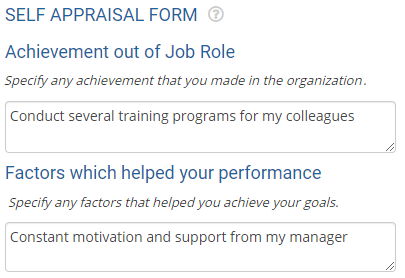
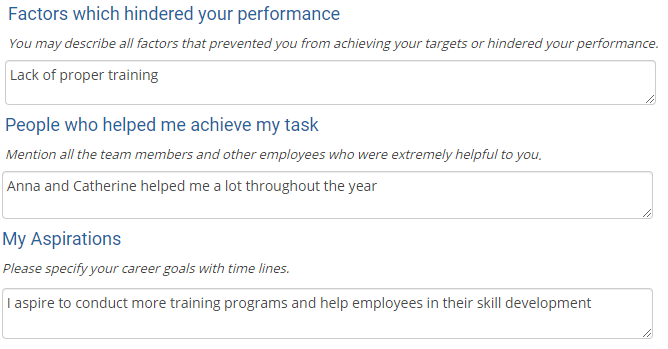
● Provide your suggestions about specific improvements in the infrastructure and facilities that may help you in improving your performance in Factors Which Hindered Your Performance field.
● Write about your seniors, subordinates, peers who helped you achieve your tasks in People Who Helped Me Achieve My Task field. Self-appraisal enables you to develop the spirit of gratitude to your managers and peers.
● Write about your aspirations in life, career growth, promotions, special interest in some job position, need for a special training and so on in My Aspirations field.
● Click Save and the appraisal form will be saved.
● Click Next form to fill the next appraisal form.
Related Links
Suggested Links- Setup Performance Appraisal Plans
- Initiate Appraisal
- Change Appraisal State
- Configure Performance Potential Settings
- Appraisal-Employee Access
- Manage Team Appraisal – Filter Records
- Print Appraisal
- Manager Appraisal Dashboard
- Create a new Rating Scale





